Questions about HuntHive
How picks are made, how the site earns money, how to use it from your AI assistant, and how to tell us when something is wrong.
How picks are made
How does HuntHive choose its picks?
Each guide starts from a buying question, such as noise-cancelling headphones for commuting and work calls. The research reads independent lab reviews, the owner's manual and written warranty for each model, and expert buying guides. A pick needs evidence from those sources, not just a good reputation.
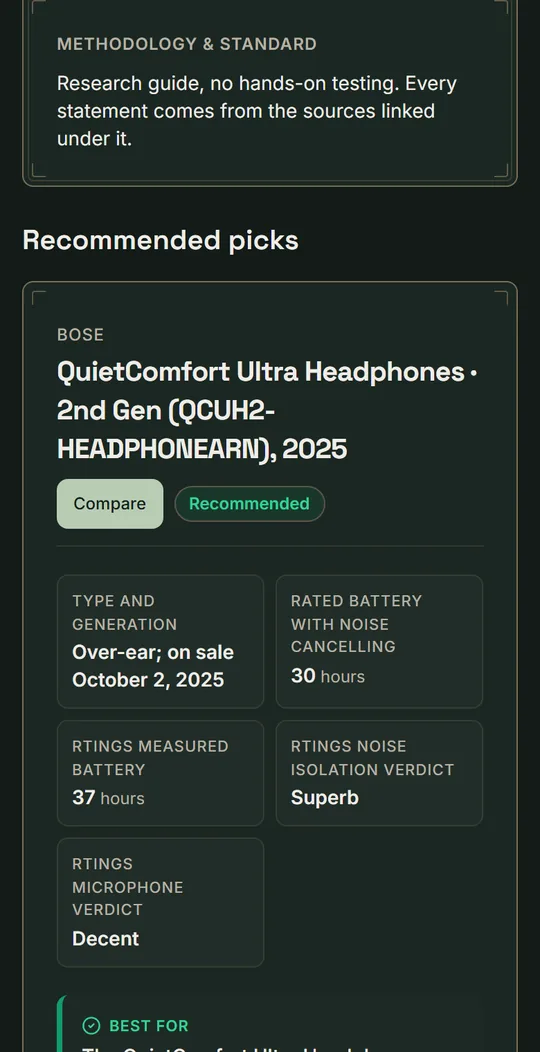
Before a guide goes up, a separate AI agent, not the one that wrote it, checks each claim against the source it cites and flags any mismatch. Flagged claims are rewritten or dropped. Then HuntHive's editor reviews and approves the whole guide before it is published. Here is one claim from the headphones guide, with its sources: Bose rates the QuietComfort Ultra Headphones (2nd Gen) at 30 hours of battery with noise cancelling on, and RTINGS measured 37 hours.
From the headphones guide. Sources: Bose owner's guide; RTINGS review.
Do you test products yourself?
No. HuntHive guides are research guides with no hands-on testing, and each guide says so at the top. Measured numbers, like battery hours, come from the independent testers we cite, and the guide names the tester next to the number.
What does "open questions keep other models off the recommended list" mean?
Some models look promising but are missing evidence we require, such as an exact-model manual or a confirmed US warranty. Those models are named with the missing piece instead of being recommended. Each guide lists its open questions. If an open question is about a model that is already recommended, that pick is marked Provisional until the question is resolved.
Why does each guide have an expiry date?
Products get firmware updates, new versions and warranty changes. Each guide shows the date it was reviewed and the date that review expires, so you can see how fresh it is. A guide whose review has expired leaves the list until it is checked again.
How HuntHive earns money
Who pays HuntHive?
Stores do, through affiliate links. When you buy through a "Check current price" link, the store may pay HuntHive a commission at no extra cost to you. As an Amazon Associate, HuntHive earns from qualifying purchases. Ads may appear on the site in the future; they would be labeled.
Can a brand pay for a better spot?
No. Brands cannot pay for a pick, a ranking or a review. A model that lacks evidence is not recommended, whoever makes it.
Why don't guides show prices?
Store rules allow showing a price only when it comes straight from that store's approved data feed, and an AI-read price can be wrong or out of date. Until HuntHive has an approved feed, each pick links to the store with "Check current price" so you see the real price there.
Use HuntHive from your AI assistant
How do I add the HuntHive connector?
The connector lets Claude, ChatGPT, Cursor and other assistants that support MCP (Model Context Protocol) read HuntHive's approved guides. It is read-only, free and needs no account or API key. Copy the connector address, then follow the steps for your app on the connector page. In short:
- Claude: Settings, then Connectors, then add a custom connector and paste the address.
- ChatGPT: turn on developer mode in settings, then create a connector with the address.
- Cursor: Settings, then MCP, then add a new server with the address.
https://hunthive.app/mcp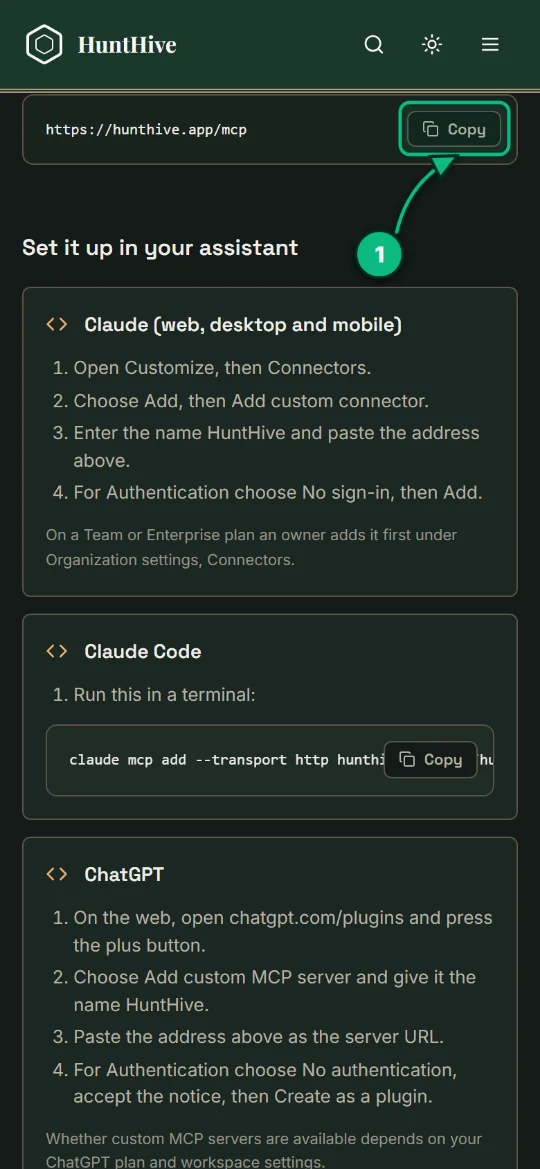
What can my assistant see?
The same approved guides published on this site: picks, who each suits, the catch, open questions and every cited source. It cannot see anything about you, and it never returns prices.
Report a problem
I found a mistake in a guide
Email [email protected] with:
- the page address,
- the sentence you think is wrong,
- a link to a source that shows the correct fact, if you have one.
We check the claim against its sources. If it is wrong, the guide is corrected and its revision number goes up.
A link or page is broken
Send the page address and the link that failed to [email protected]. A screenshot helps if the page looks wrong on your phone.
What should I not send?
How to read a guide
Every guide starts with the verdict and links every claim back to its source.
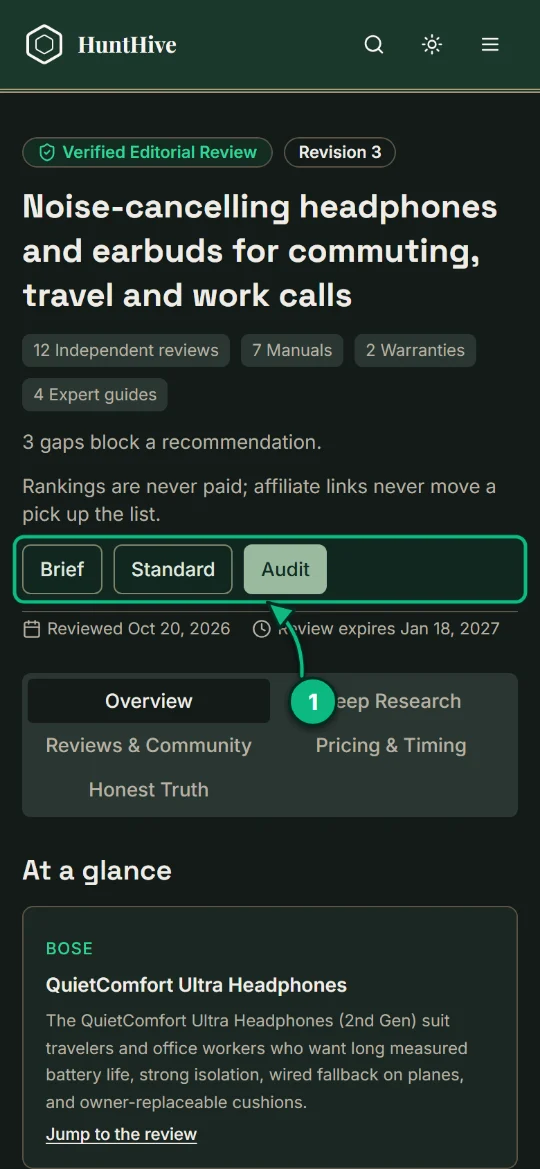
Choose your depth
Switch between Brief, Standard and Audit to read the short verdict or inspect every claim and source.
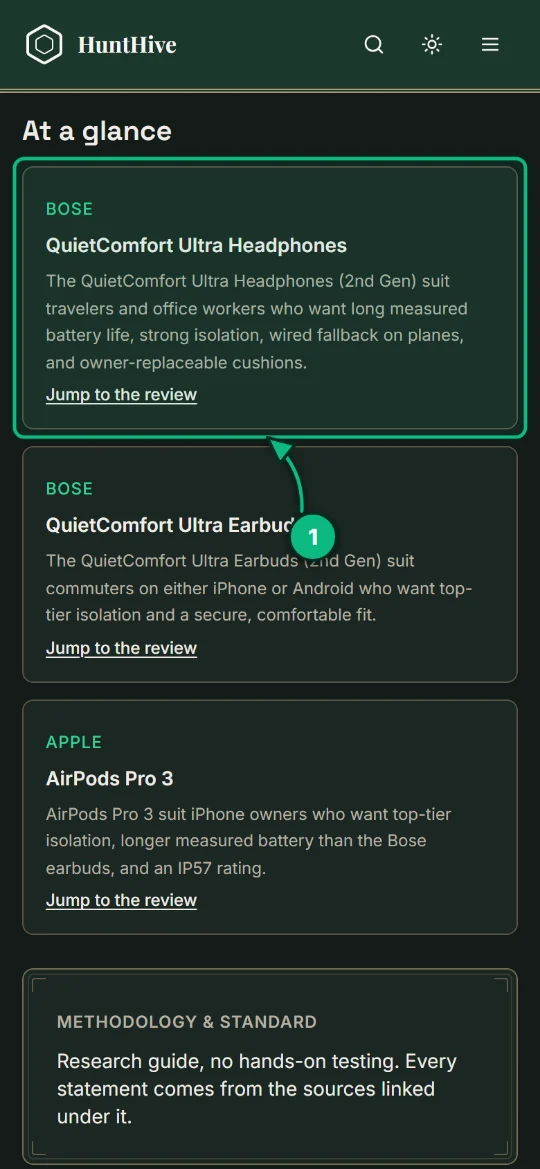
Jump to any pick
Tap an At a glance card to jump straight to that pick's Best For summary, The Catch and sources.
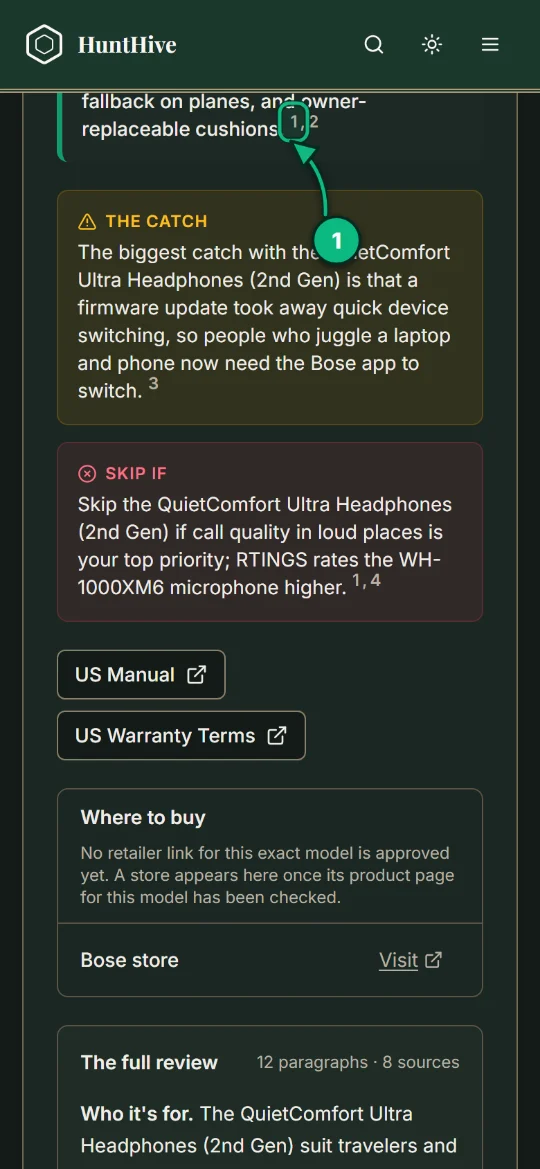
Check the source
Tap any numbered citation marker under a paragraph to jump to its cited source.
Still stuck? Email [email protected].